

Instant demo
Experience the power of VAPP directly from your browser through simulations of real contexts.
Start demo
Guests online in seconds. WiFi under your control.
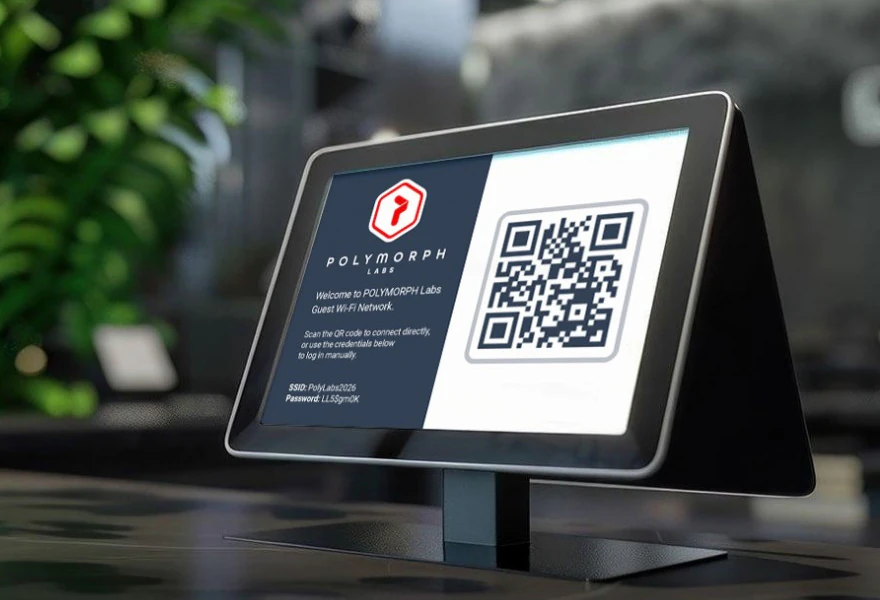
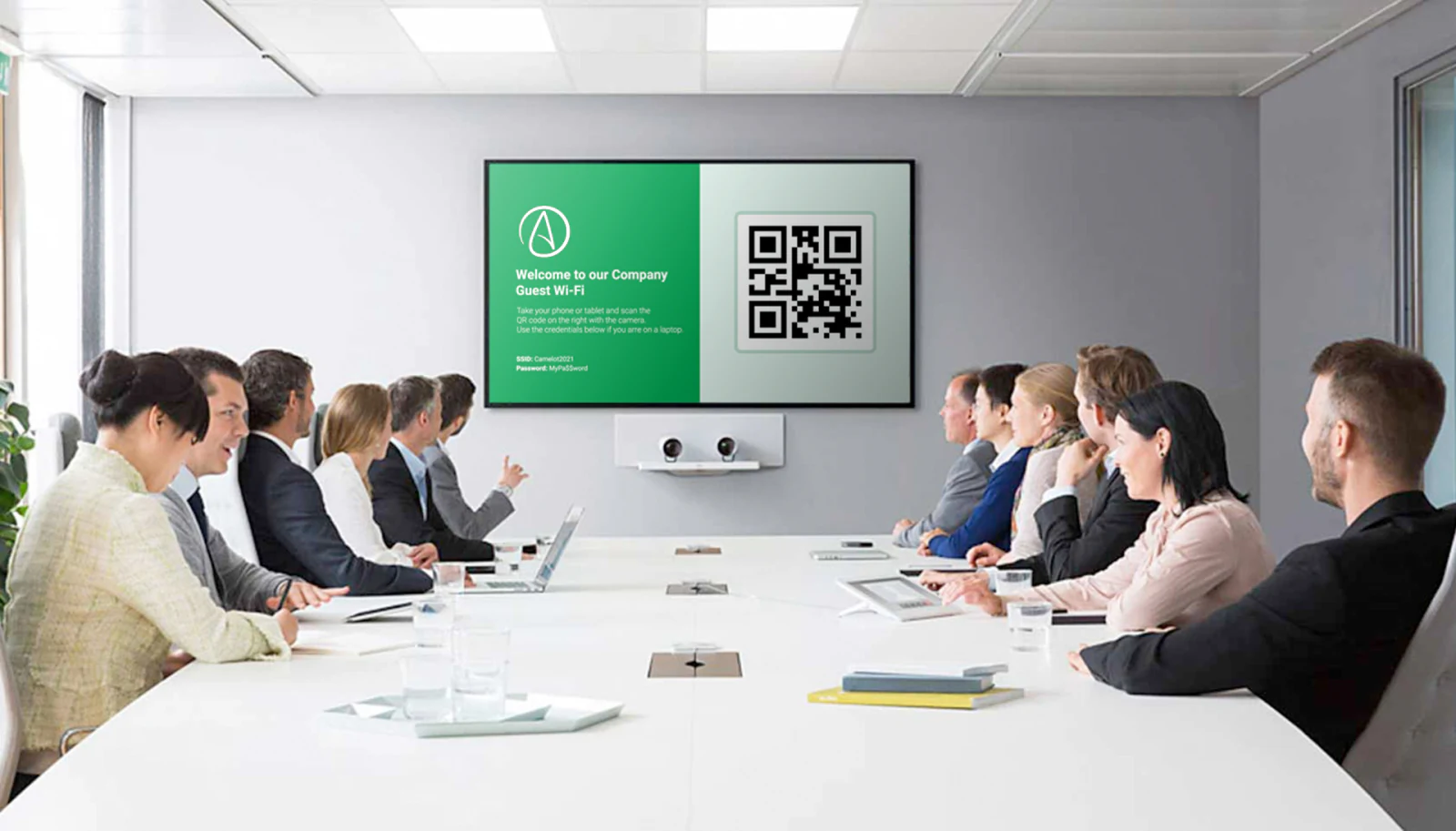
A dynamic QR code replaces long passwords and multiple SSIDs: guests scan it with a smartphone and connect within seconds. Easy Guest WiFi creates and displays the codes automatically through the Cisco Meraki APIs, lets you design your own public page and shows how your guest WiFi is really used.
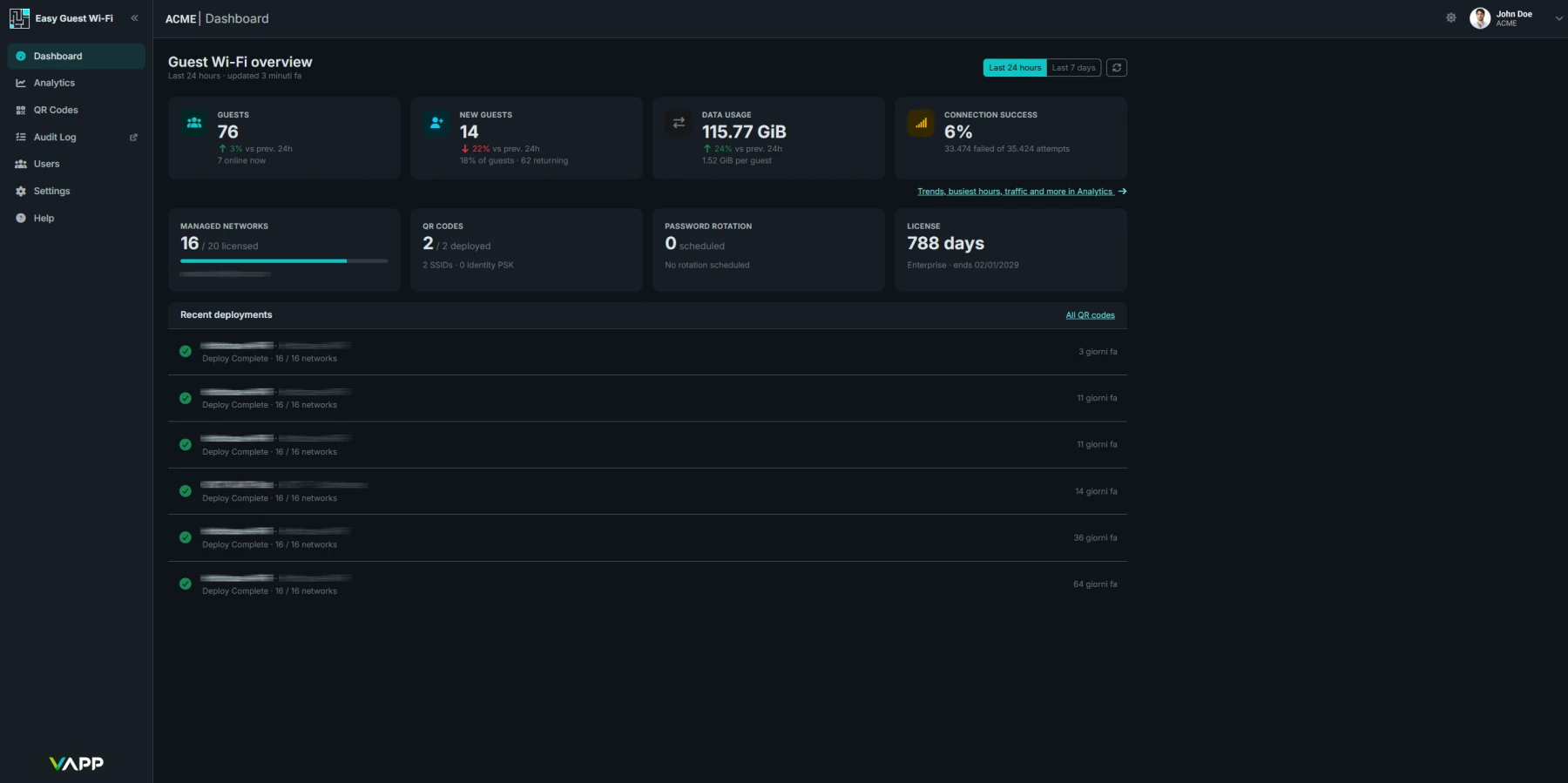
Start turning data into insights now with VAPP free, full-featured trial.
No credit card required.
Everything you need
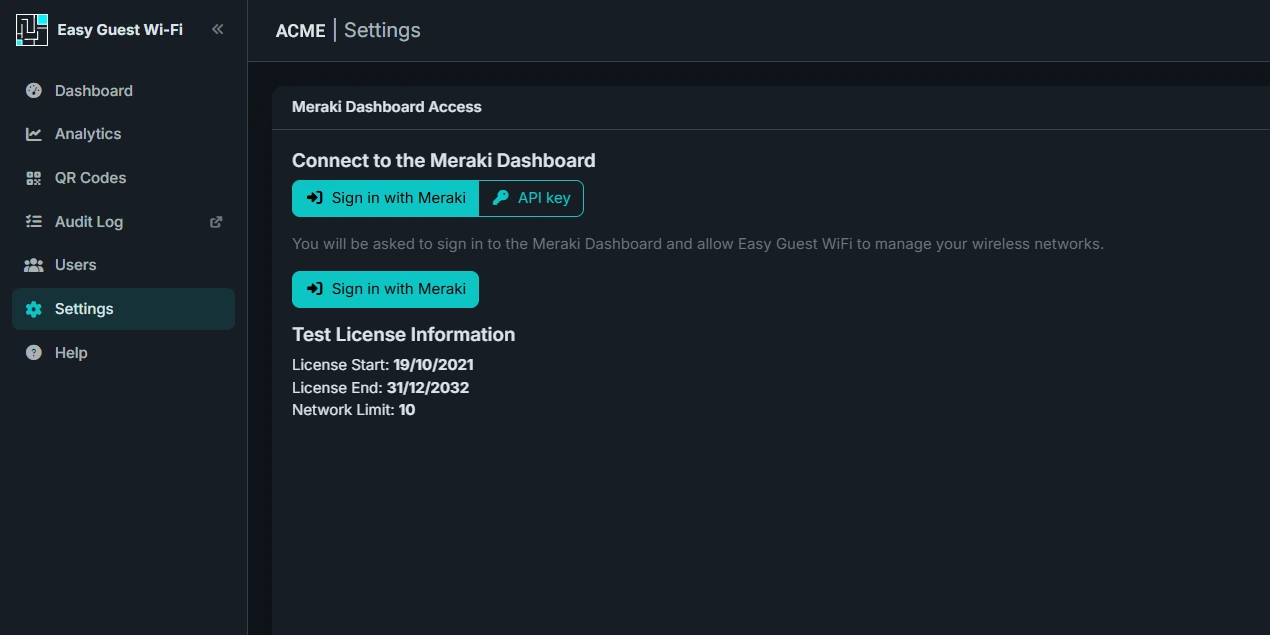
Connect your organization with one click using Meraki OAuth2, or keep using an API key. Credentials are stored in a secure vault and never sent back to the browser.
Create guest SSIDs without the Meraki dashboard and pick them from a list, avoiding typing errors. Preload and the automatic “vapp” TAG make the setup immediate.
Deploy the same setup to many networks at once, instead of repeating it network by network.
Let Meraki serve the click-through page instead of hosting your own: Easy Guest WiFi configures the SSID for you, with no custom splash URL and no walled-garden setup.
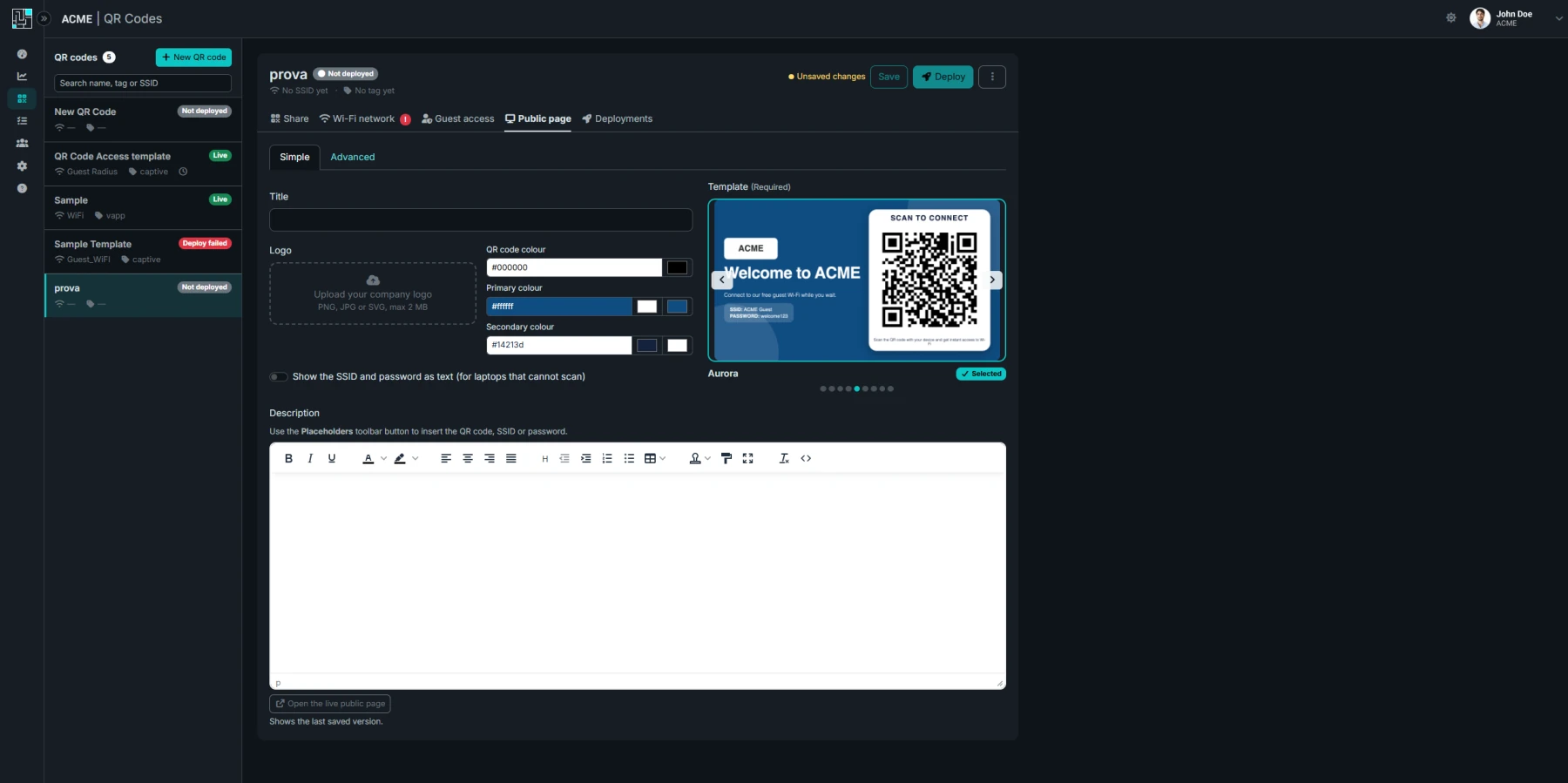
Choose among Aurora, Side Rail, Poster and Boarding Pass, each built around a large QR code and logo that use all the available space.
Make quick tweaks in Simple mode, or design the whole page with drag and drop in the built-in visual editor, starting from the template carousel.
Lobby TVs, portrait signage, tablets and phones: layouts split the screen into two balanced halves, so the page looks right on every device.
Match your corporate colors by choosing the color of the QR code, so it fits the look of your public page.
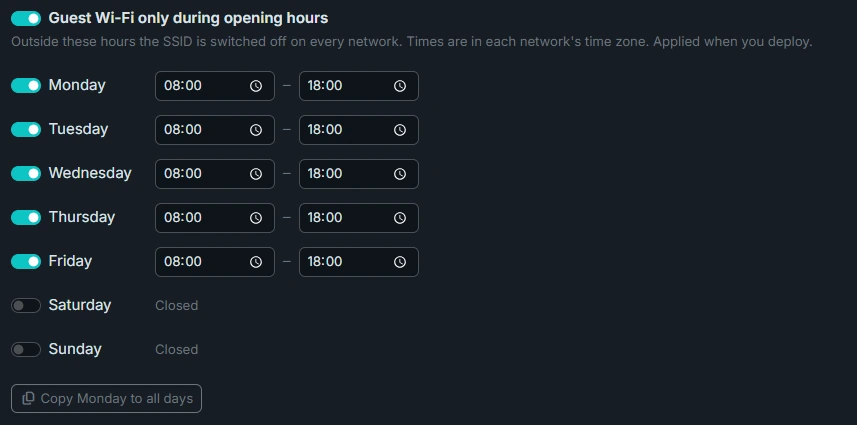
Switch your guest SSID on only when you are open. Set hours per day, including closing times past midnight, and copy Monday to every other day.
Deploy the schedule to all your networks at once. If Meraki refuses a schedule, the deploy still succeeds and lists the networks that need attention.
Rotate the passphrase hourly or daily, with the length and complexity you choose. A saved live QR code applies the new schedule at once, and missed schedules are caught.
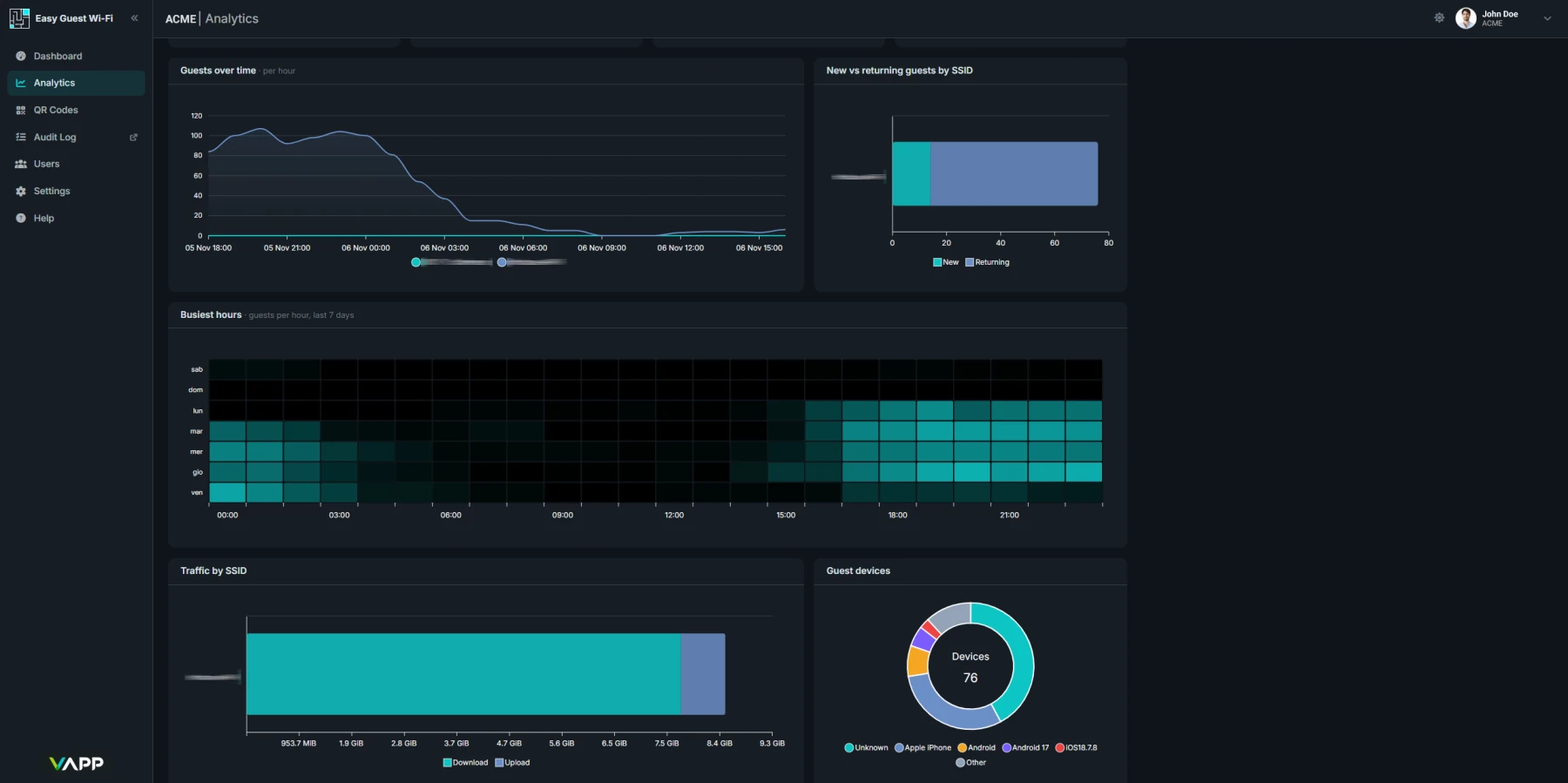
Returning guests, peak guests, busiest hour and peak bandwidth in one view, with a 7-day heatmap of the busiest hours.
Guest numbers for each SSID by hour or by day, with a previous-period comparison on KPIs and SSID performance.
Download or upload traffic for each SSID over time, to compare how much bandwidth each network uses.
See how many guests accepted your Meraki splash page, from how many distinct devices, and how many attempts failed.

Experience the power of VAPP directly from your browser through simulations of real contexts.
Start demo
Take advantage of a free trial for the product of your interest. There’s no charge to start a VAPP product evaluation.
Start your trial
Brochures, videos, datasheets, case studies, manuals and much more. A collection of media for a better understanding of VAPP.
See resources
Ask a question or schedule a call with our team. Register for an assisted demo to discover how VAPP can help your business.
Submit a request